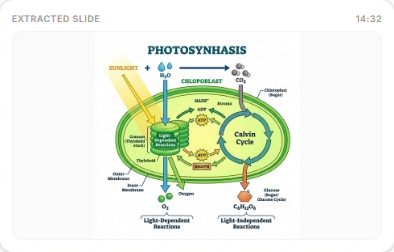
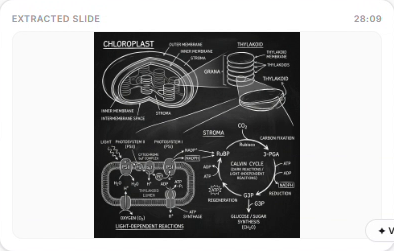
Watch the lecture.
We capture the notes.
Turn any YouTube or course video into visual study notes with real slides, diagrams, and text — so a 1-hour lecture doesn't become 2 hours of note-taking.Turn any YouTube or course video into visual study notes with real slides, diagrams, and text.
See the difference
Visual notes vs. plain text summaries — drag the slider to compare.
Drag to compare
Lecture 8: Photosynthesis Processes
Extracted from 54m video • AI formatted visual notes
The process starts when light energy is absorbed by pigments inside the plant's chloroplast. Water molecules ($H_2O$) are split to release oxygen ($O_2$), generating energy carriers used to synthesize sugar.
- Chloroplast contains chlorophyll to capture solar energy
- Light reactions take place across the thylakoid membranes
- Inputs: Water ($H_2O$), Carbon Dioxide ($CO_2$), and minerals
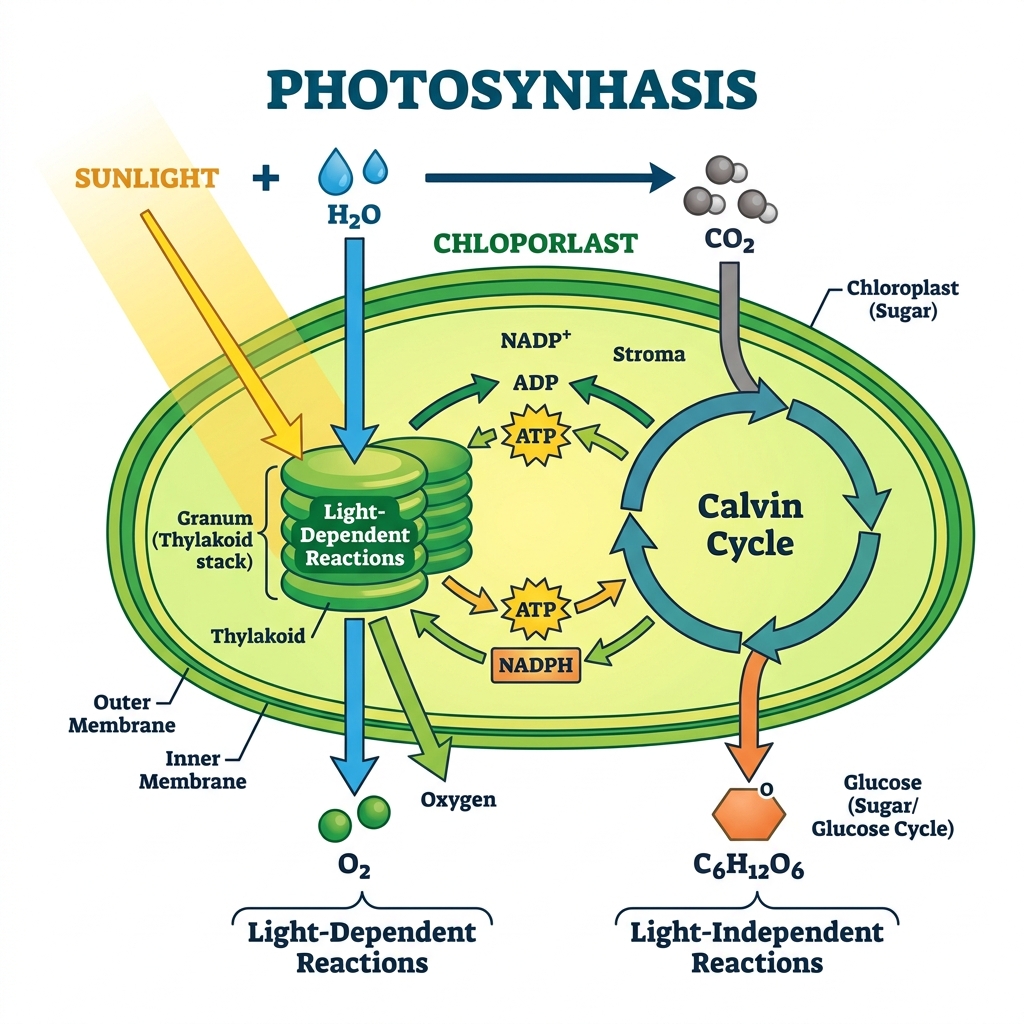
Detailed layout of chloroplast reactions. The Light Reactions occur in the thylakoid grana, producing ATP and NADPH. These products are then utilized inside the fluid stroma for Dark Reactions (Calvin cycle) to synthesize food glucose ($C_6H_12O_6$) from Carbon Dioxide ($CO_2$).
Video Summary: Photosynthesis
Generated text summary • No visual extraction
Overview
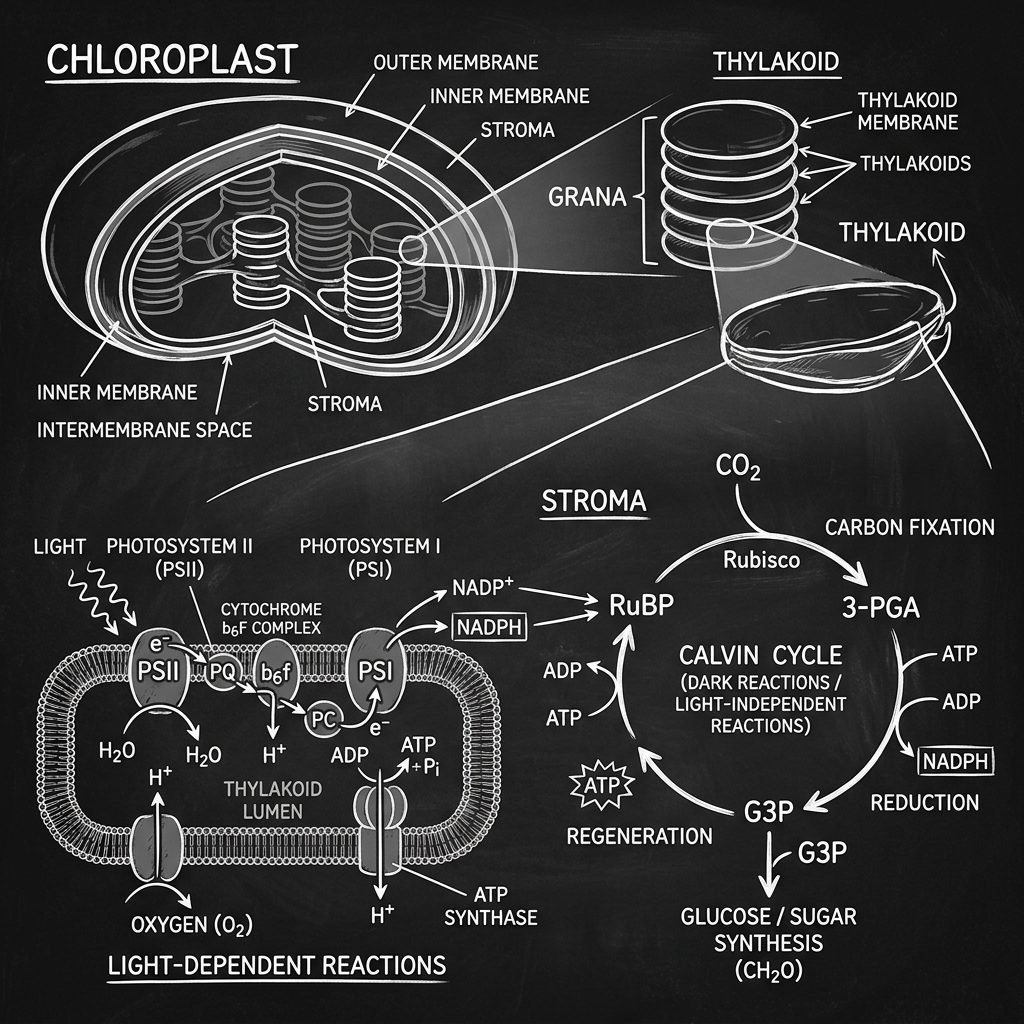
This lecture covers Photosynthesis. Light energy is captured by chlorophyll inside chloroplasts. Water ($H_2O$) is split to produce energy, and Carbon Dioxide ($CO_2$) is converted to sugar glucose inside the stroma. The detailed biological structures, chemical cycles, and whiteboard sketches from slides must be referenced by watching the video.
Key Points
- [14:32] Light reaction occurs in thylakoid membranes, splitting water to release oxygen. (No image • watch video).
- [28:09] Dark reaction uses ATP and NADPH in the stroma to synthesize glucose from CO2. (No image • watch video).
Students learn from video — but can't take notes at the same time
Millions of students watch YouTube and course lectures daily. Note-taking while listening wastes time, breaks focus, and forces you to miss visually important moments.
1 hour lecture → 2 hours studying
Pausing, rewinding, and handwriting notes doubles your study time and breaks your focus.
You miss what matters
While you write, the lecturer moves on. Key diagrams, equations, and examples slip past.
Summaries aren't enough
Text-only AI tools skip the visuals. You still have to rewatch the video for slides and diagrams.
VideoSlides solves it — notes with real images, not fake ones
Unlike NoteLM and text summarizers, we pair structured notes with frames pulled straight from your lecture.
Real images from your video
We extract actual slides, whiteboard frames, and diagrams — never AI-generated replacements.
Structured notes + AI editor
Get text and visuals together. Edit with prompts — translate, simplify, or reorganize instantly.
Quick revision, not rewatching
Turn a full lecture into visual study notes in under 60 seconds. Revise before exams in minutes.
How it works
Upload source
Paste a YouTube URL or drag-and-drop a local video file directly into your workspace.
AI Segmentation
Our pipeline transcribes audio and extracts slide images when visual content changes.
Edit and export
Refine notes using natural language prompts, translate, and download in PDF, PPTX, or DOCX.
Upload your lecture source
Paste a YouTube URL or drag-and-drop a local video file directly into your workspace.
Visual AI segmentation
Our pipeline transcribes audio and extracts slide images when visual content changes — capturing equations, code, and diagrams.
Edit with AI and export
Refine notes using natural language prompts, translate, and download in PDF, PPTX, or DOCX.
Upload your lecture source
Paste a YouTube URL or drag-and-drop a local video file directly into your workspace.
Visual AI segmentation
Our pipeline transcribes audio and extracts slide images when visual content changes — capturing equations, code, and diagrams.
Edit with AI and export
Refine notes using natural language prompts, translate, and download in PDF, PPTX, or DOCX.
Who uses VideoSlides AI?
Who is it for?
Students
Cut note-taking time in half and study visually without constant pausing.
Educators
Convert lecture recordings into classroom summaries and student handouts instantly.
Creators
Turn video content into high-quality sellable study assets and course upgrades.
Creators & Course Sellers
Turn video content into sellable study assets.
- Auto-generate high-quality PDF/PPTX slide decks from your video course content.
- Bundle study guides, worksheets, and summaries to sell as course upgrades.
- Boost course completion rates by providing students with ready-made visual recaps.
Teachers & Educators
Convert lecture recordings into classroom summaries.
- Instantly generate structured slide presentations to explain concepts to students.
- Export matching PDFs to print and distribute as student study handouts.
- Automatically segment class recordings into organized topics for review.
Students & Lifelong Learners
Cut note-taking time in half and study visually.
- Stop constantly pausing and rewinding to copy down code or equations.
- Capture the actual diagrams, slides, and math formulas directly from the video screen.
- Refine, translate, or expand notes instantly using our built-in AI prompts editor.
Built for students, powered by AI
Drag or scroll below to explore the interactive features of VideoSlides AI.
Stop pausing. Start studying.
Generate your first visual notes in under 60 seconds.